Your robot mower won’t hold a charge like it used to, and now you're stuck wondering: is this normal wear, or is something wrong? Learning a little about lithium-ion battery technology can turn that frustration into confidence. Today’s robot lawn mower batteries are lighter, charge faster, and last significantly longer than the old lead-acid ones, especially if you maintain them right. Battery performance isn't magic—it's chemistry. Knowing how it works helps you tell a real problem from normal degradation, so you don't buy a replacement you might not need. Whether you're troubleshooting a mower that won't charge, comparing specs before a purchase, or just trying to get a few more seasons out of your current pack, this guide covers what's inside that battery compartment and what you can do about it.
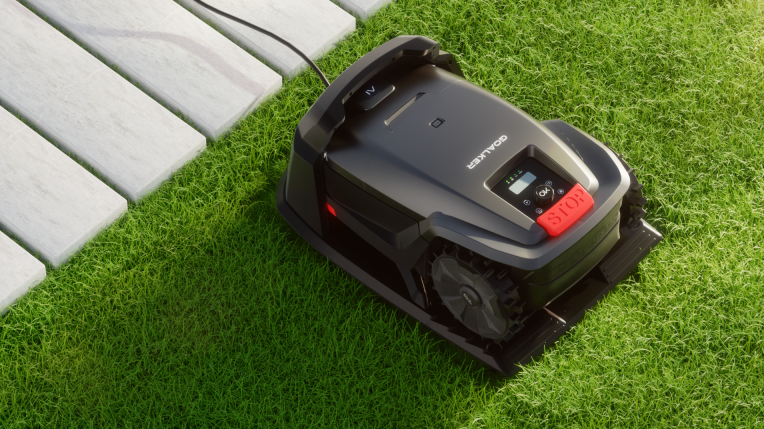
Lithium Battery Technology Explained: How Robot Mowers Store and Discharge Energy
Lithium batteries work through physical migration. During discharge, lithium ions leave the negative electrode, travel through the electrolyte and separator, and arrive at the positive electrode. At the same time, electrons flow through the external circuit, powering the mower's motor and control board. During charging, this process reverses: ions move back from the positive electrode to the negative electrode, re-embedding themselves into the layered structure of the electrode material.
A simple analogy
Think of lithium ions as a "moving company." During discharge, they carry cargo from the "negative electrode warehouse" to the "positive electrode warehouse," while electrons travel the "wire highway" to generate power. During charging, they move the cargo back again. Technically, this back-and-forth process is called intercalation and deintercalation—ions sliding in and out of graphite's layered structure.
Understanding Voltage, Capacity, and Watt-Hours
The voltage and capacity specs on robot mower batteries might look complicated, but the math behind them is simple:
Voltage (V) determines the platform—it defines the motor's speed range and controller compatibility.
Capacity (Ah) measures how much charge the battery can store—at the same voltage, higher Ah means longer runtime.
Watt-hours (Wh) is the true indicator of total stored energy, calculated as V × Ah. This is the number to compare when looking across different voltage platforms.
Two common examples:
28V 4.0Ah = 112Wh — a typical configuration for mid-sized robot mowers.
25.6V 4.0Ah = 102.4Wh — commonly found in 8-cell lithium battery platforms (usually made up of 3.2V nominal cells).
Why Lithium Batteries Outperform Lead-Acid and NiMH
When comparing lithium vs. lead-acid mower batteries, the difference is obvious:
Lead-acid: Heavy, with low energy density—achieving the same runtime means adding significant weight, which hurts hill-climbing and turning performance.
NiMH: Lighter than lead-acid, but still stores less energy per pound than lithium, making it rarely the first choice in modern designs.
Lithium: Delivers stable voltage output for brushless motors and handles frequent partial charge-discharge cycles well, making it ideal for the way robot mowers work—mowing for a while, then heading back to the charging dock.
Lithium vs. Traditional Batteries: A Performance Comparison at a Glance
Numbers tell the story better than adjectives. Line up lithium battery vs lead acid mower specs side by side and the gap is obvious: one mower is ready in an hour, the other is still charging when you want to cut grass.
The Head-to-Head Numbers
Comparison | Lithium (Li-ion / LiFePO4) | Traditional (Lead-Acid / AGM) |
|---|---|---|
Charging Speed | 1–3 hours (some reach 80% faster) | 6–12 hours, typically 8–10 |
Weight | 50–67% lighter for equal capacity | 2–4x heavier than lithium |
Cycle Life | 2,000–5,000+ cycles | 300–1,500 cycles |
Downtime | Quick top-ups, built for frequent use | Long charge/cool cycles mean longer waits |
Lithium batteries charge in the time it takes to run errands. Lead-acid packs need most of a workday—or overnight—to reach full capacity.
What Capacity Actually Buys You
Battery capacity mAh robot mower specs matter, but runtime doesn't scale in a straight line. Real-world testing shows a clear pattern:
24V 2.0Ah → roughly 70 minutes of mowing
28V 4.0Ah → roughly 100 minutes
25.9V 8.7Ah → up to 3 hours 45 minutes
Doubling the Ah rating doesn't double runtime, because motor draw, grass density, and blade load all eat into that number. A mower fighting thick, wet grass drains faster than one gliding over a trimmed lawn, regardless of what the spec sheet promises.
Why This Matters for Longevity
Higher cycle counts on lithium packs mean you replace the robot mower battery less often over the mower's lifetime. Lead-acid batteries wear out faster under partial-charge habits, which is exactly how robot mowers operate: they dock and recharge multiple times per day. That mismatch is a major reason lead-acid has largely disappeared from modern robotic mower designs.
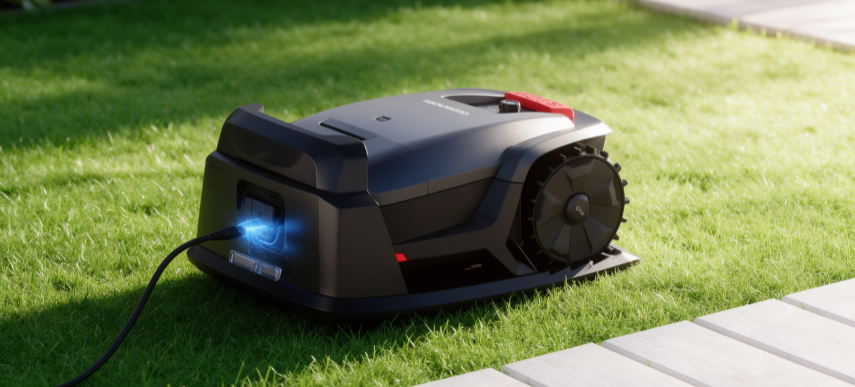
How Long Do Robot Mower Batteries Last: Lifespan and Influencing Factors
Three to five years. That's the honest answer for most robot mower batteries on the market today—though the real number depends heavily on how you treat the pack. Manufacturers typically rate mainstream lithium batteries at 300–500 charge cycles, which lines up with that 3–5 year window under normal use. Higher-spec models push further, sometimes lasting 5–7 years with proper care, and premium packs advertised at 1,000–2,000 cycles can stretch toward 6–8 mowing seasons or more.
What a "Cycle" Actually Means
A lot of the confusion around battery life comes from misunderstanding what a cycle is. It's not one charge session. It's cumulative use equal to 100% of capacity. So two separate 50% discharges, each followed by a recharge, add up to roughly one full cycle. That's why a robot mower topping off multiple times a day doesn't burn through cycles as fast as it might seem.
Why the Gap Between 300–500 and 1,500 Cycles Matters
300–500 cycles is standard for most consumer-grade batteries, matching 3–5 years or about 3–5 mowing seasons. 1,500 cycles gives you nearly three times the durability, meaning noticeable capacity loss shows up much later. The real payoff is fewer replacements and lower annual ownership cost over the mower's lifetime.
A 1,500-cycle rating doesn't mean zero degradation, though. It means the battery holds usable capacity longer before decline becomes noticeable. Aging still happens, just slower.
The Three Culprits Behind Early Degradation
Heat is the biggest one. Lithium chemistry performs best between 20–25°C. Every roughly 10°C above that ideal range accelerates aging—electrolyte breakdown, SEI layer thickening, rising internal resistance.
Sitting at full charge for long stretches adds chemical stress, especially in hot weather. Leaving the mower plugged in constantly through summer is a common way owners unknowingly shorten battery life.
Deep discharges—repeatedly draining to near-empty before recharging—wear down cycle capacity faster than moderate use. Combine deep discharge with high heat and degradation speeds up dramatically compared to normal aging alone.
A Practical Buying Benchmark
Entry-level batteries rated at 300–500 cycles will get you 3–5 years. Mid-tier packs at 500–800 cycles last about 5–7 years. High-durability packs at 1,000–2,000 cycles can go 6–8 seasons or longer.
If a spec sheet only lists 300–500 cycles, plan on replacement within 3–5 years under moderate use. If it advertises 1,000+ cycles, it's built for larger lawns, heavier use, or owners who want fewer battery swaps over time.
A Practical Maintenance Guide for Extending Battery Life
A simple habit shift can push your battery from 3 seasons to 6 or more. No single trick does it. You need four routines applied consistently: correct storage charge, temperature control, avoiding full-charge idling, and periodic checks. These four factors, done together, slow capacity loss and calendar aging in robot mower battery maintenance.
Winter and Long-Term Storage
If your mower sits idle for weeks or months, the battery's state of charge matters.
Target 40%–60% SOC before storing. Full or empty extremes both stress the cells.
Store indoors at 5–20°C (some guides say up to 25°C). Skip unheated garages, outdoor sheds, or anywhere temperatures swing wildly.
Remove the battery from the mower if the unit is detachable, especially before frost sets in.
Let cold packs warm up before charging. Charging a battery that's below its rated temperature threshold accelerates internal damage rather than restoring it.
Daily Charging Habits That Matter
Degradation is slow, silent, and tied to everyday charging behavior.
Avoid leaving the mower parked at 100% charge, particularly in summer. Heat plus full charge is the single worst combination for lithium cells; multiple battery datasheets flag this "hot-and-full" scenario as a top accelerator of aging.
Keep daily cycling closer to 20%–80% rather than draining to empty and topping to full every time. This single change reduces stress on the smart mower battery management system and slows wear over hundreds of cycles.
Disconnect promptly after charging during hot weather instead of leaving the pack sitting on the robot lawn mower charging station indefinitely.
A Practical Maintenance Template
Before winter storage: charge to roughly 50%, remove the battery, note the date.
During storage: check every 4–8 weeks, top up if it drifts below 40%.
During mowing season: cycle between 20%–80% whenever possible.
In summer: pull the battery off the charger as soon as it's full.
Before restarting for the season: confirm charge level, check for swelling or odd temperature, then resume normal use.
When to Replace the Battery: Recognizing the Signs and Understanding the Cost
A swollen battery case is not a maybe. It's an immediate replace-it signal, full stop. Robot mower battery degradation rarely announces itself with one dramatic failure. It's a pattern of small warning signs stacking up until the mower can't finish the lawn anymore.
The Warning Signs Worth Tracking
Watch for these together, not in isolation:
Runtime cut roughly in half compared to when the mower was new
Fast drain right after a full charge—the pack hits 100%, then drops quickly
Inaccurate charge readings, where the display jumps or shows phantom battery level
Sudden shutdowns even when the indicator still shows 20–30% remaining
Slower charging times than the original spec sheet promised
Case swelling or visible deformation—stop using the mower immediately if you see this
System alerts recommending battery replacement through the app or control panel
Practical Thresholds for Making the Call
If the pack is approaching 300–500 charge cycles or sitting in the 2–5 year range, expect noticeable capacity loss. A useful rule of thumb: if a full charge gets you about an hour of mowing, or the mower shuts off unexpectedly while still showing 20–30%, you're at the replacement point.
Robot Mower Battery Replacement Cost
Pricing splits into two channels:
OEM/official replacement: typically $69–$119, with older or entry-level models on the lower end and premium mowers pushing toward the top
Third-party replacement: usually $25–$100, with older models around $25–$59, mid-tier packs $49–$90, and flagship-compatible packs reaching $70–$100
OEM parts cost more but come with tighter quality control and warranty backing. Third-party packs save money, which makes sense once the mower is out of warranty or you're managing costs on an older unit.
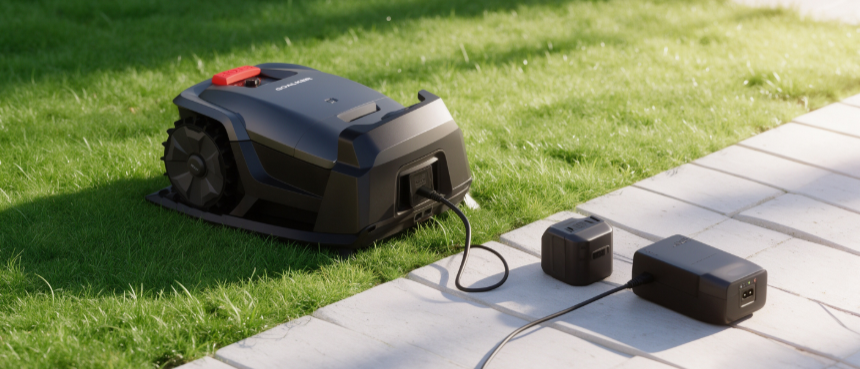
Common Battery Troubleshooting: What to Do When It Won't Charge or Runtime Suddenly Drops
Most of the time, a mower that won't charge has a bad connection, not a dead battery. So before you assume the worst, work through the problem in order—skipping steps leads to unnecessary replacements.
Diagnosing a Charging Failure
Start with the physical connection points:
Check the charging contacts first—plug, port, clips, and cable. Loose or corroded contacts cause most charging failures. Even a small voltage drop here means the battery never gets enough charging voltage.
Test the power source next. Confirm the outlet has power, the breaker hasn't tripped, and the charger's indicator light and cord aren't damaged.
Inspect the terminals and wiring harness for white or blue-green corrosion, or wires that feel stiff and discolored inside. Clean or replace the harness if you spot this.
Consider the smart mower battery management system. The BMS will cut charging if it detects over-discharge, cell imbalance, or extreme temperatures, much like the fused sensor stack that manages a mower's live navigation decisions.
Quick tell: if switching outlets or cables fixes it, or cleaning terminals restores charging, it's a contact issue—not the battery. A voltage drop over 0.3V between charger output and battery terminal on a 12V system points to a connection problem. If charging stops within seconds, the BMS shows error codes, or cell groups differ by more than 0.5V, you're dealing with the battery itself.
Deep discharge lockout is common if the mower sat unused with a depleted pack—cell voltage can drop below roughly 2.0–2.5V per cell, triggering BMS protection. Lithium packs usually need a manufacturer reset process to clear this.
Sudden Runtime Drops vs. Normal Aging
Not every performance dip signals robot mower battery degradation. Gradual capacity loss of 1.5%–2% per year is normal for lithium chemistry. A 10%–20% runtime decline after several seasons still falls within expected wear. For a full look at the mower lineup these batteries power, visit our product homepage.
Genuine problems look different: sudden shutdowns below 20%, fast drain right after a full charge, or inability to hold charge overnight. Cold weather also causes a temporary 20%–30% runtime dip—that's environmental, not permanent damage. If you're curious about the manufacturing heritage behind these mower platforms, our company background page has the details.